attorney sitting at computer screen during a remote deposition

Remote Depositions 101

Legal teams continue to rely on remote depositions to keep cases moving without the limits of travel or scheduling conflicts. Attorneys, paralegals, and court reporters now use secure video platforms to conduct sworn testimony from almost anywhere. If you have not handled one before, learning how to do a remote deposition can feel unfamiliar at first, yet the process becomes straightforward with the right preparation and support.

This article walks through each step, shares practical tips, and explains how professional partners can make the experience seamless from start to finish.

What Makes a Remote Deposition Different?

A remote deposition follows the same legal rules as an in-person deposition, but it replaces the physical conference room with a virtual setting. Each participant joins through a secure video link, and the court reporter administers the oath remotely. Attorneys still question witnesses, mark exhibits, and create a formal record, all using digital tools.

How to Do a Remote Deposition Step by Step

Choose the Right Platform and Partners

Selecting a secure and court-approved video platform sets the foundation for a successful deposition. Many firms rely on professional litigation support providers to host the session, manage recordings, and handle technical logistics. These providers offer features like exhibit sharing, real-time transcription, and breakout rooms for private discussions.

Working with an experienced provider also ensures compliance with court rules and protects the integrity of the record. This support allows attorneys to focus fully on questioning rather than managing software.

Prepare Witnesses and Attorneys

Preparation extends beyond reviewing case facts. Witnesses should understand how the remote setup works, including camera positioning, microphone use, and proper etiquette during the session. A short practice session can reduce anxiety and prevent avoidable mistakes. Attorneys benefit from organizing exhibits in advance and labeling them clearly for digital use. Knowing how to present and reference documents on screen keeps the deposition moving at a steady pace. Teams that take time to prepare often find that learning how to do a remote deposition becomes much easier with repetition.

Set Up a Professional Environment

Each participant should join from a quiet, well-lit space with minimal distractions. A neutral background and proper camera angle help maintain a professional appearance. Interruptions, background noise, or poor lighting can affect the clarity of the testimony and distract from important details. A strong internet connection remains essential. Wired connections often provide more stability than Wi-Fi, especially during longer sessions. Testing equipment ahead of time reduces the risk of technical interruptions once the deposition begins.

Manage Exhibits and Recordkeeping

Digital exhibit management requires careful organization. Attorneys should preload documents into the platform or coordinate with the host to ensure quick access during questioning. Clear labeling helps all participants follow along without confusion. The court reporter records the session and creates the official transcript, just as they would in person. Many remote platforms also offer video recording, which can serve as a valuable reference later in the case. Legal teams that understand how to do a remote deposition pay close attention to how exhibits appear on screen and how they enter the record.

How To Create a Smooth Experience

Clear communication keeps remote depositions on track. Speaking one at a time, pausing briefly before responding, and avoiding interruptions help the court reporter produce an accurate transcript. Participants should also state their names for the record when necessary, especially if multiple voices sound similar.

Professional conduct remains just as important in a virtual setting. Attorneys should maintain eye contact with the camera, dress appropriately, and avoid multitasking during the session. These habits reinforce credibility and keep the focus on the testimony.

Technical support should remain available throughout the deposition. Even with strong preparation, unexpected issues can arise, and quick assistance prevents long delays. Legal teams that regularly handle remote proceedings often rely on dedicated support staff to manage these situations efficiently.

Common Remote Deposition Challenges

Technology issues present the most frequent obstacle. Audio delays, dropped connections, or software glitches can interrupt the flow of questioning. Testing equipment in advance and having a backup plan, such as a secondary device or phone dial-in option, helps keep the deposition moving.

Exhibit confusion can also slow progress if documents are not clearly labeled or easily accessible. Organizing files ahead of time and coordinating with all parties reduces this risk. Teams that practice how to do a remote deposition often refine their exhibit process after each session.

Witness coaching concerns sometimes arise in remote settings. Attorneys may request that the witness adjust their camera to show the full room or confirm that no one else is present. Establishing clear ground rules at the beginning of the deposition helps maintain fairness.

Partner with Magna for a Seamless Remote Deposition Experience

Legal teams across the country trust Magna Legal Services to handle remote depositions with precision and care. Magna provides secure video platforms, experienced court reporters, and dedicated technical support to ensure every detail runs smoothly. Our team coordinates scheduling, manages exhibits, and assists participants before and during the session, so attorneys can stay focused on building their case.

If your firm plans to conduct a remote deposition, Magna offers the tools and expertise to make the process efficient and stress-free. Reach out to our team to schedule your next deposition and experience a higher level of support from start to finish.

person sitting in front of a lap top for a virtual deposition. you can see 4 people on the laptop screen

How to Prepare Your Witness for a Virtual Deposition

Preparing a witness for a virtual deposition requires more than just sharing a Zoom link. Legal teams need to account for technical setup, psychological readiness, communication skills, and the unique dynamics of presenting testimony on-screen. Here are some tips for preparing your witness for a virtual deposition and ensuring it goes smoothly.

Understanding the Virtual Deposition Environment

A virtual deposition is different from an in-person setting in several key ways. The room setup is digital, eye contact is through a camera, and there are fewer physical cues to guide the conversation. Witnesses can feel isolated, distracted, or unsure of how to present themselves effectively. Without the comfort of being in the same room as their attorney, some witnesses struggle to stay focused or manage their nerves. Screen fatigue and unfamiliar technology only add to the pressure.

Helping The Witness Understand The Tools, Equipment, and Environment

Witness prep should start with a thorough tech check. Make sure your witness uses a device with a reliable webcam and a quality microphone. A hardwired internet connection is best, but a strong Wi-Fi signal works when tested in advance. Position the camera at eye level with a clean, neutral background and soft lighting. Avoid windows behind the witness and check for clutter. Headphones help reduce echo and prevent feedback. A quiet space with the door closed is essential since interruptions can break focus and affect testimony.

Building The Witness’s Confidence

Speaking into a screen can feel unnatural. Many witnesses don’t know where to look or how to carry themselves on video. Others struggle with nerves or overthink their answers. Coaching makes a big difference. Virtual prep should include tips for posture, eye contact, and facial expressions. Show witnesses how to stay present and aware without becoming stiff or robotic.

Practicing with Realistic Scenarios

Rehearsing for a virtual deposition helps witnesses feel prepared and in sync with their legal team. Mock sessions give them the chance to practice answering questions under realistic conditions. They get feedback in real time, so they can adjust their delivery and stay alert for common mistakes. Many witnesses struggle with things like interrupting the attorney, pausing too long, or looking off-screen when thinking. These habits are easy to fix when caught early.

Communication Skills in a Remote Setting

Talking over someone in a virtual deposition can create confusion and disrupt the transcript. Witnesses need to speak clearly and wait a beat before answering each question. This helps the court reporter and prevents missed words.

Body language also matters, but it’s harder to read on camera. Teach witnesses how to be expressive without overdoing it. It is also important to discuss how to recognize tone shifts in the opposing counsel’s voice, even when facial cues are limited. Encourage your witnesses to pause, think, and speak with intention. That keeps testimony clean and avoids giving the other side extra material to challenge.

Introducing and Handling Exhibits Virtually

Witnesses should know how to handle documents that appear on screen. They may be asked to scroll, zoom, or mark sections without fumbling. Practicing with digital exhibits ahead of time helps them stay focused and composed.

Screen sharing adds another layer. Witnesses need to know what others can see and how to interact with shared files. Moderators can help guide the flow of exhibits and ensure the witness understands what’s being shown and where to look to keep the session smooth and prevent technical confusion from derailing testimony.

Offering Day-of Deposition Tips

Before logging in, every witness should go through a final checklist. Test the tech, set the environment, and do a quick confidence reset. Offer last-minute reminders to help the witness stay centered. Having this pre-deposition pep talk will allow the witness to focus on the deposition and not the tech.

Let Magna Help You Win the Room. Even the Virtual One.

Virtual depositions bring new challenges, but they don’t have to create stress. Magna Legal Services helps attorneys prepare witnesses for every aspect of remote testimony—from technical setup and coaching to day-of support. During the deposition, Magna’s moderators and real-time court reporters support the process. Our team handles any tech hiccups, manages exhibits, and helps maintain a professional tone throughout the session. We’ve helped thousands of legal teams handle virtual depositions with confidence, and we’re ready to do the same for you.

To get started, request a free consultation or request a demo of the Virtual Deposition platform. Let Magna make your next virtual deposition a win.

Cameraman recording at video deposition

7 Keys to Successful Video Depositions

Video depositions have become a cornerstone of modern litigation. Whether you’re preparing for trial or managing a high-stakes corporate matter, mastering the process of video depositions ensures accuracy, professionalism, and a seamless experience for everyone involved. Below are seven essential tips to help you conduct a successful video deposition.

Prepare Your Witness Thoroughly

Witness preparation is critical for any deposition, and video depositions require extra attention. Unlike in-person settings, the camera adds an additional layer of scrutiny. A witness’s tone, posture, and expressions are all magnified on screen.

Start by familiarizing your witness with the video format. Conduct mock video sessions so they can adjust to speaking naturally while maintaining good eye contact with the camera. Remind them to dress appropriately, avoid distracting backgrounds, and eliminate unnecessary movements. Small details can influence how the testimony is perceived by opposing counsel and the court.

Choose the Right Technology

The success of a video deposition often hinges on reliable technology. Test the video platform in advance to ensure clear audio and high-quality video. Check the internet connection at every participant’s location to avoid interruptions. Equip the room with proper lighting so the witness is visible and the recording appears professional.

Keep a backup plan ready. This might include a secondary internet connection, an alternate device, or even a traditional telephonic setup in case technical issues arise. Test everything, including microphones and webcams, well before the deposition begins.

Pay Attention to the Background and Environment

The environment where the deposition takes place sets the tone for the entire proceeding. A cluttered or distracting background can undermine professionalism. Set up in a quiet, well-lit space with a neutral background.

Encourage all participants to minimize background noise by turning off notifications and silencing nearby devices. If you’re hosting the deposition, ensure all parties know how to mute and unmute their microphones when needed. Controlling the environment reflects your attention to detail and helps maintain focus on the testimony.

Understand the Rules and Jurisdictional Requirements

Video depositions are subject to specific rules depending on the jurisdiction. Be sure to review the local guidelines for admissibility, recording, and third-party involvement. For example, some courts may require prior approval to conduct a deposition via video. Others might have specific requirements for how the recording is submitted as evidence.

Work with an experienced court reporter or legal videographer familiar with these rules. They can ensure the recording meets all legal standards while maintaining a clear chain of custody for the video file.

Maintain Clear Communication with All Parties

Before the deposition, communicate with all participants to confirm scheduling, technology requirements, and any special accommodations. Clear communication ensures everyone understands their roles and responsibilities. It also helps eliminate surprises that could derail the process.

Send reminders to participants about the agreed-upon schedule and any necessary pre-deposition tasks, such as submitting exhibits or signing confidentiality agreements. During the deposition, establish a system for handling objections or interruptions so the process runs smoothly.

Make Use of Professional Services

Partnering with professionals can elevate the quality of your video deposition. Hiring a certified court reporter ensures an accurate transcript, while a skilled legal videographer can produce a clean, high-quality recording that stands up to scrutiny. These professionals understand the unique challenges of video depositions and can address issues like poor audio, unstable internet, or recording glitches in real time.

Prepare Exhibits and Visual Aids in Advance

Managing exhibits during a video deposition can be tricky. To avoid confusion, organize your documents well in advance and label them clearly. Share digital copies with all participants before the deposition begins. Platforms designed for legal use often include tools for presenting exhibits seamlessly, such as screen-sharing options or virtual exhibit stamping.

Test the platform’s exhibit features before the deposition to avoid technical hiccups. Confirm that every participant knows how to access the shared files and that the witness understands how to navigate them on screen.

Get Video Deposition Support from Magna Legal

Conducting a video deposition effectively requires preparation, the right tools, and strong communication. These sessions are more than just recordings—they are key pieces of evidence that can make or break a case. By focusing on these seven areas, legal teams can ensure their video depositions run smoothly, produce high-quality results, and meet all legal requirements.

Magna Legal Services offers a full suite of deposition support, including video depositions, court reporting, and secure online platforms. These services streamline the process, allowing you to focus on strategy rather than logistics. Contact us today to learn more

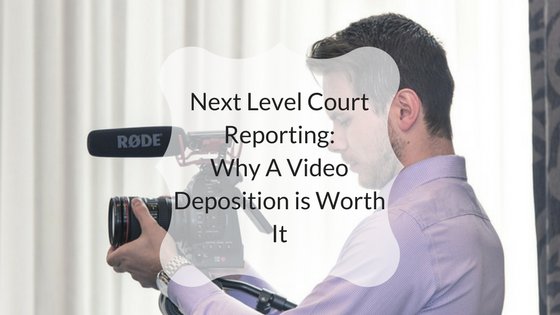
Next Level Court Reporting: Why A Video Deposition is Worth It

Whether it’s a civil or criminal matter, court reporting is an essential aspect of winning your case. When breaking down the duties of a court reporter, though, the deposition is often considered to be one of the most important. The deposition ensures that you preserve witness testimony while avoiding any surprises at trial, but not all depositions are created equal. Court reporters that seamlessly provide video deposition services are often the most cost effective providers and in many instances the memorialized video deposition greatly increased the attorney’s chance of success thanks to the numerous benefits provided.

Benefits of a Video Deposition

When it comes to deposition services, video testimony provides the greatest tool for both witness presentation and impeachment. Every litigator has been in the position of having to read deposition designations to point out inconsistent witness testimony or when a witness is unavailable. By and large, jurors can become bored by the monotony of this practice. Also, this does not capture the person who is speaking and thus leaves the “witness” to the juror’s minds eye.

This problem, however, doesn’t exist when a video deposition is available. When you can show the judge or jury the witness speaking clearly into a camera, it becomes much more difficult for said witness to claim they didn’t understand the question or context, or even claim that their words were twisted or misconstrued. Video also provides you the opportunity to protect your own witnesses’ credibility if opposing counsel tries to manipulate what they said.

Additionally, court reporters who provide video deposition services help you gain a more in-depth deposition than with just a transcript alone. Far too often, witnesses will get off track when speaking during a written deposition. Their and their attorney’s knowledge that jury members will never see the actual conversation sometimes results in getting off the subject and a meandering testimony. When everyone understands that the deposition will be recorded, though, they’re more likely to “stick to the script.”

This allows you to streamline the deposition and come away with a cleaner transcript for use at trial or briefing. Depositions can last as long as necessary, but having the ever-watchful eye of a video camera motivates everyone involved to focus on getting all of the pertinent facts committed to evidence in a timely manner.

Paper Depositions & Video Depositions

While video deposition services provide a variety of benefits on their very own, the actual power of video becomes far more apparent when compared to paper depositions. Science has shown that the human brain processes video 60,000 times faster than it does text.

What this means is that judges and juries will be able to get a deeper understanding of what’s going on instantaneously. Fortunately, this benefit doesn’t just extend to judges and jury members. You will also be able to review a deposition and prepare your case in a more time-efficient manner than if you tried to sit down and pore back through volumes of written statements. And as any attorney can rightly attest to, time is money in the legal field.

In addition to being more cost-efficient by allowing you to more effectively use your preparation time, video deposition services also save on costs thanks to the ability to present testimony from witnesses whose location or medical condition prohibits them from coming into court.

Maybe the biggest benefit of video depositions is the ability to gain a deeper understanding of testimony by viewing body language. If you read a statement that says “I didn’t owe her any money” in court, it doesn’t say nearly as much as seeing the witness saying the same thing while rolling their eyes, sucking their teeth, and acting otherwise dismissive or insulting.

No matter what, being able to view a witness’s body language in addition to their words can speak volumes. This is why good court reporters will always use high-quality video depositions — preferably with multi-camera views so courtrooms will have every vantage point possible.

Video Depositions Are at the Forefront of Technology

Like most great industry tools, video deposition services don’t stop at basic functions. As technology evolves, so do video depositions. At Magna, for instance, the most up-to-date technology is utilized to provide video teleconferencing (VTC) and/or internet streaming services when performing video depositions via the Magna Legal Vision platform.

Since businesses using VTC and similar services reduce travel expenses by 30 percent, these techniques are beneficial both economically and technologically. In addition to utilizing the most advanced aspects of video technology, Magna also offers multimedia depositions. This means that trial exhibits can be displayed directly to the deposed while they’re offering a statement.

On top of all of this, the multimedia advancements utilized by Magna allow witnesses to annotate exhibits as they’re being deposed. This can turn into a powerful tool later at trial when the court sees the witness writing their own words via touchscreen monitors in relation to the exhibit at hand. And if this wasn’t enough, just imagine how powerful these multimedia tools can be in the hands of expert witnesses.

Video Deposition Is the Right Move

After utilizing video deposition services, it’s highly unlikely that you’ll ever want to switch back to paper and ink. Benefits, which range from pretrial to closing arguments, are just too numerous to overlook. Make sure you find a court reporter who offers video depositions in addition to the other tools you’d expect from a professional legal service agency.

For full-service court reporting services that provide video depositions, contact Magna today.

Read More About Legal Video Services